
Best cPanel Hosting 2026: Top cPanel Web Hosts Compared
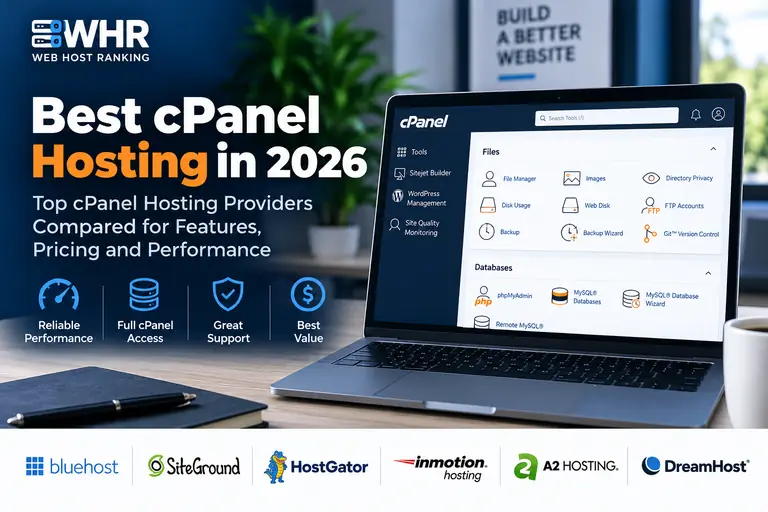
If you want a familiar, proven way to manage websites, domains, email accounts, databases and server files, cPanel remains one of the most widely used hosting control panels available.
For 2026, our top overall cPanel hosting pick is GreenGeeks because it combines a traditional cPanel environment with LiteSpeed performance, WordPress compatibility and strong value for users managing one or multiple websites.
InMotion Hosting is our preferred cPanel option for small businesses because it combines cPanel with generous NVMe storage, domain email, migration assistance and a clear path into VPS hosting. Namecheap is a strong budget choice, while Bluehost remains a beginner-friendly option for users who want simplified WordPress hosting with cPanel access on supported plans.
Compare the Best cPanel Hosts →
Quick answer: Choose GreenGeeks if you want our best overall cPanel hosting option with strong performance and multi-site value. Choose InMotion Hosting if you run a small business and want cPanel, generous NVMe storage, domain email and free migration. Choose Namecheap for inexpensive cPanel hosting, and Bluehost if beginner-friendly WordPress setup matters most.
Our Top Pick: GreenGeeks
GreenGeeks delivers one of the strongest overall combinations of cPanel, LiteSpeed technology, WordPress support and traditional hosting management for users who want a familiar hosting environment.
Choosing the best cPanel hosting provider is about more than finding the cheapest introductory price. The hosting company also needs to provide dependable performance, useful features, responsive support and enough room for your website to grow.
cPanel remains popular because it gives website owners one familiar place to manage domains, files, databases, email accounts, SSL certificates, backups and many other hosting tools.
For 2026, GreenGeeks is our best overall cPanel hosting pick. InMotion Hosting is our preferred option for small businesses, Namecheap is our favorite low-cost choice, and Bluehost remains appealing for beginners who want simplified hosting management with cPanel access on supported plans.
If you are still deciding which hosting features matter most, start with our guide to choosing a web host.
Best cPanel Hosting Providers for 2026
| Hosting Provider | Best For | cPanel | Our Take |
|---|---|---|---|
| GreenGeeks | Best Overall | Yes | Excellent balance of cPanel, LiteSpeed, WordPress support and multi-site value. |
| InMotion Hosting | Small Business | Yes | Strong cPanel hosting with generous storage, email and a clear path to VPS. |
| Namecheap | Budget Hosting | Yes | Affordable traditional cPanel hosting for smaller websites. |
| Bluehost | Beginners | Supported Plans | Beginner-friendly hosting with cPanel access on supported products. |
| ScalaHosting | VPS & Growing Sites | Plan Dependent | Strong choice for sites that may move beyond shared hosting. |
| Web Hosting Hub | Traditional Hosting | Yes | Straightforward shared hosting built around familiar cPanel tools. |
Hosting prices, promotional offers and included features can change. Always verify current pricing, renewal rates and plan specifications before purchasing.
1. GreenGeeks — Best Overall cPanel Hosting
GreenGeeks is our top overall cPanel hosting provider for 2026.
It combines the familiar cPanel control panel with LiteSpeed web-server technology and a hosting environment that works particularly well for WordPress websites.
Users can manage domains, files, databases, email accounts, PHP settings and other hosting tools through cPanel while still benefiting from modern server technology behind the scenes.
GreenGeeks is also attractive for people managing multiple websites and who prefer a traditional hosting environment instead of a proprietary control panel.
Why We Like GreenGeeks
- Traditional cPanel environment
- LiteSpeed web-server technology
- LSCache support
- Strong WordPress compatibility
- Good multi-site hosting options
- Beginner friendly while still offering advanced tools
Potential Drawbacks
Like many hosting companies, GreenGeeks uses promotional pricing for the initial hosting term.
Renewal rates can be significantly higher, so compare the long-term cost before choosing a plan.
For a closer look, read our GreenGeeks Review.
2. InMotion Hosting — Best cPanel Hosting for Small Business
InMotion Hosting is our preferred cPanel hosting provider for small businesses.
Its current Launch plan combines traditional cPanel hosting with 100GB of NVMe storage, domain email, unmetered bandwidth, SSL, security tools and website migration assistance.
That gives a business considerably more than just a control panel. It creates a full hosting environment for websites that may grow in importance over time.
InMotion also gives customers a clear upgrade path beyond ordinary shared hosting. Businesses can move into WordPress hosting, VPS or dedicated infrastructure without changing providers.
Why We Like InMotion Hosting
- Traditional cPanel hosting
- 100GB NVMe storage on Launch
- Domain email accounts
- Free website migration
- Free SSL
- Malware and DDoS protection
- Web application firewall
- Unmetered bandwidth
- VPS and dedicated hosting upgrade options
- 90-day money-back guarantee on qualifying shared plans
Potential Drawbacks
InMotion is not always the cheapest shared-hosting option.
Its strongest value is for users who care about cPanel, storage, email, migration and long-term business growth rather than simply finding the lowest introductory rate.
For more detail, read our InMotion Hosting Review.
3. Namecheap — Best Cheap cPanel Hosting
Namecheap is one of the better choices for users who want inexpensive hosting with a traditional cPanel interface.
Namecheap shared hosting provides familiar tools for managing files, domains, databases, email accounts, SSL certificates and other hosting features.
It is particularly appealing for smaller websites, side projects and users who already understand cPanel and want to keep hosting costs low.
Why We Like Namecheap
- Low-cost shared hosting
- Traditional cPanel interface
- Softaculous application installer
- Email hosting tools
- Good fit for smaller websites
- Useful option for side projects
Potential Drawbacks
Namecheap offers good value, but larger business websites and more resource-intensive projects may benefit from a provider with stronger managed services or larger entry-level resource allocations.
If you're comparing Namecheap directly with InMotion, see our InMotion vs Namecheap 2026 comparison.
4. Bluehost — Best for Beginners
Bluehost remains one of our preferred choices for beginners because it simplifies many of the tasks that make web hosting intimidating for first-time website owners.
The Bluehost Portal provides a simplified interface for managing websites and hosting accounts, while cPanel access remains available on supported products.
This gives beginners an easier everyday dashboard while still providing traditional hosting tools where cPanel is available.
Why We Like Bluehost
- Beginner-friendly onboarding
- Easy WordPress setup
- Simple Bluehost management interface
- cPanel access on supported hosting plans
- Large knowledge base
- Good first host for new website owners
Potential Drawbacks
If your main goal is getting the most traditional cPanel experience possible, GreenGeeks, InMotion Hosting or Namecheap are stronger fits.
Bluehost increasingly combines its own interface with traditional hosting tools rather than centering the entire experience around cPanel.
Read our Bluehost Review for a closer look.
5. ScalaHosting — Best for VPS and Growing Websites
ScalaHosting is worth considering if you expect your website to eventually outgrow ordinary shared hosting.
The company is especially strong in managed VPS hosting and provides a clear path toward more powerful infrastructure.
ScalaHosting also promotes its own SPanel environment, so users who specifically require cPanel should verify the exact control-panel options available with the plan they are considering.
cPanel VPS hosting is available, but cPanel licensing can add to the overall cost.
Why We Like ScalaHosting
- Strong managed VPS platform
- Good option for growing websites
- Scalable server resources
- Managed hosting options
- cPanel VPS available
- Strong upgrade path for larger sites
Potential Drawbacks
ScalaHosting's greatest strength is managed VPS rather than inexpensive shared cPanel hosting.
If your only goal is conventional shared cPanel hosting, GreenGeeks, InMotion or Namecheap may be a more straightforward fit.
6. Web Hosting Hub — Traditional cPanel Alternative
Web Hosting Hub is a straightforward choice for users who prefer traditional shared hosting built around familiar cPanel tools.
Anyone who has previously managed a website through cPanel should feel comfortable with the overall workflow.
Web Hosting Hub is best suited to smaller websites that do not require specialized managed WordPress features or advanced cloud infrastructure.
Why We Like Web Hosting Hub
- Traditional cPanel environment
- Familiar hosting-management tools
- Simple shared hosting
- Good fit for smaller websites
- Alternative to proprietary dashboards
Potential Drawbacks
Web Hosting Hub is not as prominent as several of the larger hosting brands.
Users who need advanced managed WordPress hosting, VPS or cloud infrastructure may find another provider better suited to their needs.
What Is cPanel Hosting?
cPanel hosting is web hosting that gives you access to the cPanel control panel for managing important parts of the hosting account.
Depending on the provider and hosting plan, cPanel can be used to manage:
- Website files
- Domains and subdomains
- Email accounts
- Databases
- phpMyAdmin
- FTP accounts
- SSL certificates
- Website backups
- PHP settings
- Redirects
- Cron jobs
- Security tools
- Application installers
One of cPanel's biggest advantages is familiarity.
Once you understand how to use it, much of that knowledge transfers from one cPanel hosting provider to another.
Why Choose cPanel Hosting?
The biggest reason to choose cPanel is that it provides a standardized hosting-management environment.
Many hosting companies now use proprietary dashboards. Some of those interfaces are excellent, but moving between providers may require learning a completely different management system.
With cPanel, developers, agencies and experienced website owners usually know where to find the tools they need.
Common Advantages of cPanel
- Widely used across the hosting industry
- Large amount of documentation and tutorials
- Easy file management
- Simple database administration
- Built-in email management
- Domain and subdomain tools
- WordPress installation through supported installers
- Backup and security tools
Is cPanel Good for Beginners?
Yes. cPanel can look complicated the first time you open it because it contains many different tools, but beginners usually use only a small portion of them.
Common tasks such as accessing File Manager, creating an email account, installing WordPress or managing a domain are relatively easy once you understand the basic layout.
If you prefer an even simpler experience, Bluehost may be a better starting point because its own management interface simplifies many everyday hosting tasks.
You can compare additional beginner-friendly options in our Best Web Hosting for Beginners guide.
What to Look for in a cPanel Hosting Provider
1. Make Sure cPanel Is Actually Included
Do not assume that every Linux hosting plan includes cPanel.
Some hosting companies use proprietary control panels, while others provide cPanel only with specific shared, reseller, VPS or dedicated products.
2. Check for Additional cPanel Fees
Shared hosting plans often include cPanel in the advertised price.
VPS and dedicated servers can be different because cPanel licensing may be charged separately depending on the server configuration and number of accounts.
3. Compare Storage and Performance
cPanel makes hosting easier to manage, but it does not determine website speed.
Look at the underlying infrastructure, including storage technology, CPU resources, caching, server software and data-center locations.
This is one area where InMotion's 100GB NVMe allocation and GreenGeeks' LiteSpeed environment stand out for different reasons.
4. Check Backup Policies
Automatic backups can be valuable if your website is hacked, corrupted or accidentally damaged.
Find out how often backups are created, how long they are retained and whether restoring a backup costs extra.
5. Compare Renewal Pricing
Many hosting companies offer heavily discounted introductory pricing.
Renewal costs can be significantly higher.
Our Web Hosting Renewal Pricing guide explains why you should compare the long-term cost rather than only the initial promotion.
6. Consider Future Growth
A small website may run perfectly well on inexpensive shared hosting today but eventually require more CPU, memory, storage or server control.
Choosing a provider that also offers VPS or dedicated hosting can make future upgrades easier.
InMotion is particularly strong in this area because its shared hosting can lead directly into managed or self-managed VPS options.
cPanel Hosting vs WordPress Hosting
cPanel hosting and WordPress hosting are not necessarily competing products.
WordPress can run perfectly well on a standard cPanel hosting account.
Many cPanel hosting providers include WordPress installers, caching tools and other WordPress-related features.
Managed WordPress hosting generally adds more WordPress-specific features such as automatic updates, staging, integrated caching, specialized backups or WordPress-focused support.
If WordPress is your primary concern, compare our Best WordPress Hosting recommendations.
cPanel vs Proprietary Hosting Control Panels
A proprietary hosting dashboard is not automatically worse than cPanel.
Some hosting companies build custom interfaces specifically to simplify common tasks for beginners.
The primary advantage of cPanel is portability and familiarity.
If you have used cPanel for several years, moving to another cPanel provider generally involves less of a learning curve.
For developers, agencies and users managing multiple hosting accounts, that familiarity can save time.
Do You Need cPanel?
No. A website does not need cPanel in order to operate.
cPanel is simply a management interface that makes many hosting and server tasks easier.
If you are happy using a host's custom dashboard, there is no compelling reason to switch solely for cPanel.
However, if you already know cPanel, regularly manage databases or files, operate several websites or prefer standardized hosting tools, choosing a cPanel provider can make hosting management considerably easier.
Which cPanel Host Should You Choose?
Choose GreenGeeks if you want our best overall cPanel hosting pick with LiteSpeed, WordPress support and strong multi-site value.
Choose InMotion Hosting if you run a small business and want cPanel, 100GB of entry-level NVMe storage, email, migration assistance and room to move into VPS hosting later.
Choose Namecheap if low-cost traditional cPanel hosting is your main priority.
Choose Bluehost if you are a beginner and want a simplified hosting environment with cPanel available on supported hosting products.
Choose ScalaHosting if your website is growing and you expect to move into VPS hosting.
Choose Web Hosting Hub if you want straightforward shared hosting built around familiar cPanel tools.
Our Final Pick: GreenGeeks
For users specifically looking for cPanel hosting in 2026, GreenGeeks provides the strongest overall balance of traditional cPanel management, LiteSpeed technology, WordPress compatibility and multi-site value.
For a growing small business, however, InMotion Hosting is our preferred alternative because of its storage, domain email, migration assistance and stronger path into VPS hosting.
Pricing and feature note: Hosting prices, introductory promotions, renewal rates, storage limits and cPanel availability can change. Verify current plan details before purchasing.
Affiliate disclosure: Web Host Ranking may earn a commission from qualifying purchases made through GreenGeeks, InMotion Hosting, Namecheap, Bluehost, ScalaHosting or Web Hosting Hub links on this page, at no additional cost to you.