
How to Reduce Shopping Cart Abandonment in 2026: 12 Proven Strategies
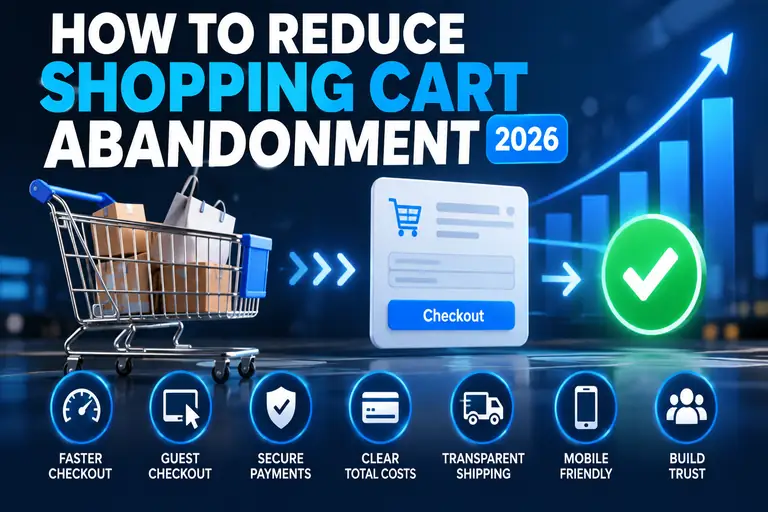
Shopping cart abandonment happens when a shopper adds products to an online cart but leaves before completing the purchase. Some abandonment is unavoidable, but checkout friction can cause otherwise interested customers to leave.
Current ecommerce research points to several recurring problems: unexpected costs, slow delivery, forced account creation, complicated checkout forms, payment concerns and technical errors.
The good news is that many of these problems can be improved. These 12 strategies focus on removing unnecessary friction between adding a product to the cart and completing the order.
Quick answer: Start by showing the total cost earlier, offering prominent guest checkout, shortening checkout forms, clearly communicating delivery expectations and making sure checkout works reliably on mobile devices.
Getting a shopper to add a product to the cart is only part of an ecommerce sale. The checkout still has to turn that intent into a completed transaction.
Baymard Institute's current research places the average documented online shopping cart abandonment rate at approximately 70%. However, not every abandoned cart represents a lost sale that could have been prevented. Many shoppers are simply browsing, comparing products or aren't ready to purchase.
The more useful goal is therefore not eliminating cart abandonment. It's identifying unnecessary friction that causes shoppers who are ready to buy to give up.
Why Do Shoppers Abandon Their Carts?
Current checkout research identifies several recurring reasons shoppers leave before completing an order.
| Common Problem | What the Shopper Experiences |
|---|---|
| Unexpected extra costs | Shipping, taxes or fees appear late in checkout |
| Slow delivery | Available delivery dates don't meet expectations |
| Trust concerns | The shopper isn't comfortable entering payment information |
| Forced account creation | A shopper must register before buying |
| Complicated checkout | Too many fields, steps or confusing decisions |
| Technical problems | Pages crash, errors appear or checkout doesn't work properly |
| Limited payment choices | A shopper's preferred payment method isn't available |
Those issues give store owners a much more useful optimization roadmap than simply trying to reduce an overall abandonment percentage.
12 Ways to Reduce Shopping Cart Abandonment
1. Show the Total Cost as Early as Possible
Unexpected costs remain one of the most important reasons shoppers abandon checkout.
A customer who sees one price while shopping and then encounters shipping charges, handling fees or other costs near the end of checkout may reconsider the purchase.
Show shoppers as much of the expected total as reasonably possible before they invest time completing checkout.
- Display shipping costs or estimates in the cart.
- Explain free-shipping thresholds clearly.
- Avoid surprising shoppers with mandatory fees late in checkout.
- Show an estimated order total when an exact total isn't yet possible.
Price transparency doesn't make an expensive order cheaper, but it prevents the checkout from feeling like the price changed unexpectedly.
2. Offer Guest Checkout
Don't require every first-time customer to create an account before buying.
Baymard's research continues to identify forced account creation as a meaningful checkout barrier. A shopper who simply wants to purchase one item may not want another username, password and account relationship.
Instead, provide an obvious Guest Checkout or Continue as Guest option.
If customer accounts are valuable to your business, invite the shopper to create one after the purchase is complete. At that point, the transaction has already succeeded and account creation doesn't stand between the shopper and the order.
3. Shorten the Checkout Process
Every unnecessary field adds friction.
Ask whether each field is actually required to fulfill the order. Information that would be useful for marketing isn't necessarily information that belongs in the checkout process.
Useful improvements can include:
- Removing unnecessary fields
- Using address autocomplete where appropriate
- Supporting browser autofill
- Hiding fields that aren't relevant to the shopper
- Using sensible defaults
- Avoiding repeated requests for the same information
Baymard's checkout research has found that the perceived effort of checkout can be reduced substantially by limiting the number of form elements shoppers encounter.
4. Make Guest Checkout Easy to Find
Simply supporting guest checkout isn't enough if shoppers can't find it.
A tiny guest link underneath a large account-login form can still make the checkout appear to require registration.
Give the guest option visual prominence. A button labeled Continue as Guest is clearer than expecting shoppers to discover an inconspicuous text link.
5. Communicate Delivery Dates Earlier
Shipping isn't only about cost. Shoppers also care about when the product will arrive.
If a customer needs a product by Friday, a vague “3–5 business days” message may be less useful than an estimated delivery date.
Show delivery information before the final checkout step whenever practical.
- Provide estimated delivery dates.
- Explain available shipping speeds.
- Keep delivery costs visible.
- Clearly identify pickup options when available.
A shopper shouldn't have to complete most of checkout before discovering that the order won't arrive when needed.
6. Build Trust Around Payment
Checkout asks shoppers to provide sensitive information. If the site appears questionable, some customers will leave rather than take the risk.
Trust comes from the entire shopping experience rather than one oversized “secure checkout” badge.
Make sure the store has:
- HTTPS throughout the site
- Professional, consistent design
- Clear business and contact information
- Easy-to-find shipping and return policies
- Recognizable payment interfaces
- No obvious broken pages or errors
Our How to Secure Your Website guide covers additional website-security fundamentals.
7. Offer Appropriate Payment Methods
Customers increasingly expect to pay using familiar methods.
The right mix depends on your audience and location, but the checkout should support the payment methods your actual customers expect to use.
Don't add payment methods simply to create a long list of logos. Use analytics, customer feedback and checkout data to determine whether shoppers are leaving because a meaningful payment option is missing.
8. Optimize Checkout for Mobile
A checkout that works well with a keyboard and large desktop monitor can still be frustrating on a phone.
Test the complete purchasing process on real mobile devices.
Pay particular attention to:
- Form-field size
- Button size and spacing
- Mobile keyboard types
- Address entry
- Payment entry
- Error messages
- Scrolling
- Autofill
The goal isn't merely to make the desktop checkout fit on a smaller screen. Mobile checkout should be easy to complete with minimal typing and precise tapping.
9. Keep the Cart and Checkout Fast
Checkout is one of the worst places for a website to become slow or unreliable.
A customer who has already decided to buy shouldn't have to wait for cart updates, shipping calculations or checkout pages to respond.
Performance problems can be caused by hosting limitations, oversized scripts, poorly optimized plugins, external services, database issues or an overly complex ecommerce setup.
Start with our How to Speed Up Your Website guide if cart or checkout performance is a problem.
10. Make Errors Easy to Fix
Checkout errors shouldn't force shoppers to guess what went wrong.
If an address, card number or required field has a problem, identify the specific field and explain what needs to be corrected.
Whenever possible:
- Validate fields without erasing entered information.
- Place error messages near the affected field.
- Use plain language.
- Preserve the customer's cart.
- Avoid forcing shoppers to restart checkout.
A technical problem is frustrating enough. Losing everything the shopper already entered makes abandonment even more likely.
11. Make Returns and Policies Easy to Understand
A shopper may hesitate when the consequences of buying are unclear.
Return periods, return shipping, exchanges and refund rules should be easy to locate and understand before purchase.
This is particularly important for products where size, fit, appearance or compatibility can't be fully evaluated online.
Clear policies reduce uncertainty. Hiding restrictive policies until after purchase may create a conversion today at the expense of trust tomorrow.
12. Remove Checkout Distractions
The checkout has one primary purpose: helping the customer complete the purchase.
Aggressive cross-sells, popups, unrelated promotions and unnecessary navigation can pull shoppers away from that task.
Cross-selling isn't inherently bad, but it shouldn't overpower the primary checkout action.
Keep the checkout focused and make the next step obvious.
Shopping Cart Abandonment Checklist
| Check | Question to Ask |
|---|---|
| ✓ Costs | Can shoppers understand the expected total before late checkout? |
| ✓ Guest Checkout | Can a new customer buy without creating an account? |
| ✓ Forms | Are you asking only for information actually needed? |
| ✓ Delivery | Can shoppers see delivery expectations before the final step? |
| ✓ Trust | Does the checkout look professional and trustworthy? |
| ✓ Mobile | Have you personally completed checkout on a phone? |
| ✓ Performance | Do cart and checkout pages respond quickly and reliably? |
| ✓ Payments | Are appropriate payment methods available? |
Don't Confuse All Abandoned Carts With Checkout Problems
This distinction is important.
Some shoppers use the cart as a temporary list. Others are comparing prices, checking shipping costs or simply aren't ready to buy.
No checkout redesign will convert every one of those shoppers.
Instead of chasing a zero-percent abandonment rate, measure where customers leave and investigate the stages where abandonment appears abnormal.
For example, a sharp drop immediately after shipping costs appear suggests a different problem than customers leaving during payment entry.
Measure the Checkout Funnel
Track the steps between adding a product to the cart and completing an order.
A simplified funnel might include:
- Product added to cart
- Cart viewed
- Checkout started
- Shipping information completed
- Payment step reached
- Order completed
Looking at each stage separately helps identify where friction occurs.
If many shoppers add products but never start checkout, examine the cart, total cost and checkout call to action. If they reach payment but don't complete the order, investigate payment errors, trust concerns and payment options.
Your Shopping Cart Software Matters
The ecommerce platform or plugin controls much of the checkout experience, including cart behavior, customer fields, payment integrations and shipping options.
For WordPress stores, compare the options in our Best WordPress Shopping Cart Plugins guide.
Choose ecommerce software based on the checkout functionality your store actually needs rather than simply installing the platform with the longest feature list.
Hosting Can Affect Ecommerce Checkout
Your shopping-cart software doesn't operate in isolation. The store still depends on the underlying website and hosting environment.
A resource-heavy ecommerce site may require more CPU, memory, database performance and caching than a simple brochure website.
If your store is consistently hitting hosting limits, upgrading the underlying hosting environment may improve stability and responsiveness.
Start with our Best Web Hosting for Small Business guide, or see Best VPS Hosting if your store has outgrown conventional hosting.
Frequently Asked Questions
What is shopping cart abandonment?
Shopping cart abandonment occurs when a shopper adds one or more products to an online cart but leaves without completing the purchase.
What is the average shopping cart abandonment rate?
Baymard Institute's current compilation of ecommerce studies places the average documented cart abandonment rate at approximately 70%. Rates vary substantially by website, device, product, traffic source and customer intent.
Why do customers abandon shopping carts?
Customers abandon carts for many reasons, including simply browsing, unexpected costs, delivery expectations, trust concerns, forced account creation, complicated checkout, technical errors and unavailable payment methods.
Does guest checkout reduce cart abandonment?
Guest checkout removes the requirement to register before buying. Current checkout research identifies forced account creation as one reason some shoppers abandon orders, so providing a clear guest path removes that particular source of friction.
How many checkout fields should I have?
Use only the fields necessary to complete and fulfill the transaction. Baymard's research indicates that checkout flows can often be substantially shorter than the average checkout currently presented to shoppers.
Can slow hosting cause cart abandonment?
Website errors and poor performance can interfere with checkout, although hosting is only one potential cause. Plugins, scripts, database performance, payment services and ecommerce software can also create slowdowns or errors.
Should I force customers to create an account?
For most consumer ecommerce stores, providing guest checkout reduces an unnecessary barrier. Customers who benefit from an account can be invited to create one after the order is completed.
Final Thoughts
Reducing shopping cart abandonment isn't about finding one magic checkout button or eliminating every abandoned cart.
Focus on the shoppers who intended to buy but encountered unnecessary friction. Make costs transparent, provide guest checkout, shorten forms, communicate delivery expectations, support appropriate payment methods, optimize mobile checkout and keep the store fast and reliable.
Then measure the checkout funnel and improve the areas where your own customers are actually leaving.
If you're building or improving a WordPress store, continue with our Best WordPress Shopping Cart Plugins comparison.